All in one app
Buy
Buy from shops and classifieds in PalCont. View photos and prices, ask the seller questions in a chat and place your order in the app.
From product to order
Select the quantity, leave a comment on the order and add the item to your cart.

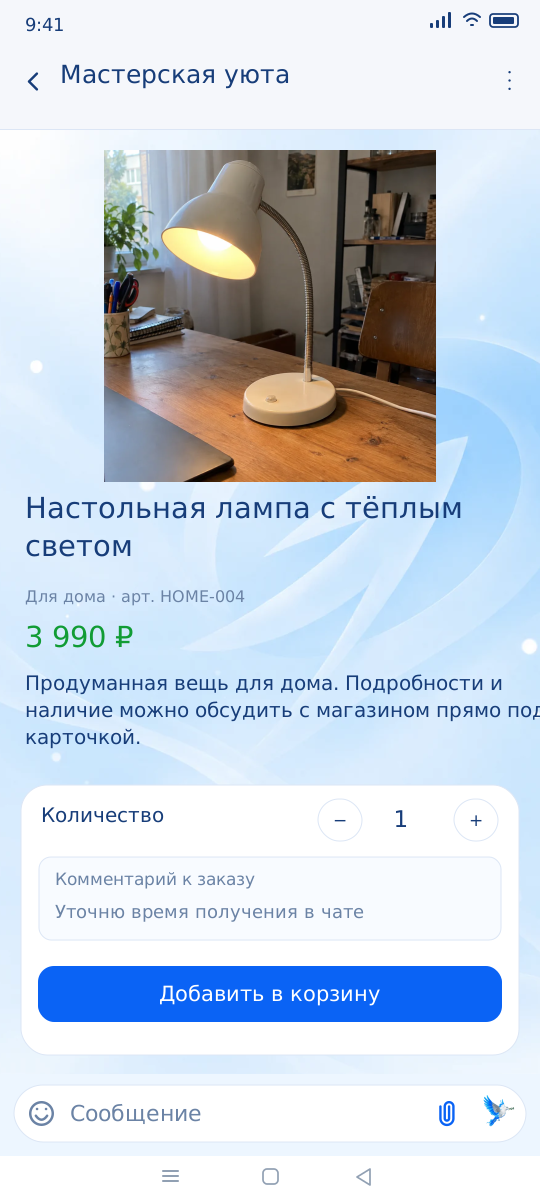
Clarify the details before purchase
Open a store product or classified ad and check its description and photos. Message the seller if you have questions about availability, delivery or condition.
From product to order
- Add the selected items to the cart and open the checkout.
- Check the quantities and total. Add the date, time, collection or delivery address and any instructions needed for the order.
- Click "Create order." Available payment methods will appear after its creation and depend on the specific store.
Questions and answers
Who determines the purchase conditions?
The terms of a specific product, payment, and delivery are determined by the seller. Check them before placing an order.
Is it possible to report an ad?
Yes. Use the "Report" action in the app or contact PalCont support with a link to the material.